
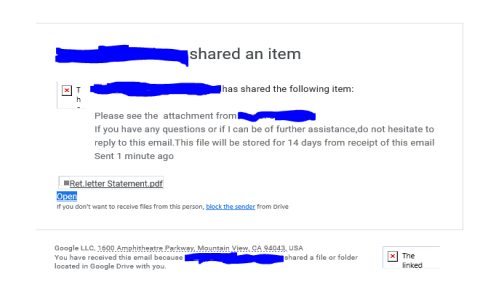
Please see attached file用法 Email附件提醒的正確寫法
在職場或求學過程中,我們經常需要透過電子郵件傳送檔案。你是否曾對「Please see attached file」這句英文感到疑惑,不確定它是否正確,或擔心附檔提醒寫得不夠專業?這句看似簡單的用語,其實藏有許多細節。一封郵件附檔提醒寫得好,能讓收件者一目了然,提升溝通效率與專業形象;寫得不好,則可能讓人困惑,甚至忽略重要檔案。本文將深入探討「Please see attached file」的正確用法,並提供多種實用句型與撰寫技巧,幫助你在各種情境下都能精準、得體地提醒對方查看附件。
「Please see attached file」用法解析:正確嗎?
首先,直接回答最常見的問題:「Please see attached file」這個說法正確嗎?答案是:它在文法上可以被理解,但在現代英文書信習慣中,並非最推薦、最自然的用法。這句話感覺有點生硬且過於直接。更地道、更專業的寫法會將「attached」作為形容詞使用,例如「Please see the attached file」或直接說明檔案內容。使用「the」這個定冠詞,能讓句子更完整、更符合母語者的表達習慣。了解這個基本差異,是寫好附檔提醒的第一步。
電子郵件附檔提醒的關鍵原則
撰寫附檔提醒時,有幾個核心原則必須把握。遵循這些原則,能確保你的郵件既清晰又專業。
- 明確指出檔案名稱與內容:與其只說「附檔」,不如直接說明「請參閱附件中的企劃書草稿」。這能幫助收件者快速理解檔案重要性。
- 說明附件目的:簡短告知對方為何需要查看此檔案,例如「供您審閱」或「作為會議參考資料」。
- 保持句子簡潔流暢:附檔提醒應是郵件內文的自然延伸,不要使用過於冗長或拗口的句子。
- 多次確認附件:養成在按下「傳送」前,再次檢查是否已成功附加檔案的好習慣,這是基本的郵件禮儀。
不同情境下的附檔提醒句型大全
以下根據不同情境,整理出實用且地道的英文句型,你可以直接套用或稍作修改。
1. 通用標準句型
適用於大多數正式或半正式的工作郵件。
- Please find the attached [file name] for your review.(請查閱附件中的[檔案名稱]供您審閱。)
- I have attached [file name] for your consideration.(我已附上[檔案名稱]供您參考。)
- The attached document contains [brief description].(附件文件包含[簡要說明]。)
2. 提供多個附檔時
當郵件中有多個檔案時,清晰的說明至關重要。
- Please see the attached files: (1) [File A] and (2) [File B].(請參閱以下附件:(1) [檔案A] 與 (2) [檔案B]。)
- I am sending you [number] attachments, including [brief list].(我寄給您[數字]個附件,包括[簡要列表]。)
3. 後續補寄檔案時
當你發現忘記附加檔案,需要補寄或重新寄送時。
- My apologies, the file was missing from my previous email. Please find it attached now.(抱歉,檔案在上一封郵件中遺漏了,現在請查收附件。)
- Please refer to the attachment in this email for the correct version.(請以本郵件中的附件為正確版本。)
專業寫作技巧:如何讓附檔提醒更出色?
要讓你的郵件脫穎而出,可以運用以下幾個進階技巧。擁有十年以上商務英文教學經驗的專家,同時也是持有國際認證TESOL證書的資深外籍教師 Michael Chen 指出:「許多非母語人士在書寫商務郵件時,容易陷入直譯的陷阱。一個專業的附檔提醒,應緊密結合郵件主旨與內文邏輯,讓收件者在閱讀時能無縫接軌地理解附件的重要性。」
首先,將附檔提醒與郵件開頭的陳述結合。例如:「To help us proceed with the project, I’ve summarized the key points in the attached proposal.」(為了推動專案進行,我已將重點摘要於附件的提案中。)這樣寫,比在文末孤零零地寫一句「Please see attached」要來得有力得多。
其次,為附件檔案取一個清晰、具體的檔名。與其使用「Document1.pdf」,不如命名為「Q3_Marketing_Report_Chen.pdf」。這能讓收件者在下載前就清楚內容,也便於後續歸檔搜尋。
常見錯誤與地雷句對照表
下表整理了常見的錯誤寫法與建議的修正方式,幫助你避開地雷。
| 不建議的寫法 (可能不自然或易混淆) | 推薦的修正寫法 (更清晰、專業) | 說明 |
|---|---|---|
| Please see attached. | Please see the attached document. | 加上「the」和具體名詞(如document, file, report)更完整。 |
| Attached please find the file. | Please find the attached file. | 「Attached please find」是較古舊的用法,現代書信中直接使用「Please find the attached…」即可。 |
| I am sending you the file in the attachment. | I have attached the file for you. | 使用「I have attached」更為主動、直接。 |
| Here is the file. | Please refer to the attached file. | 「Here is」過於口語化,在正式郵件中略顯隨意。 |
關於郵件附檔的常見問題
問:如果附件很大,我該怎麼提醒對方?
答:你應該在郵件內文中主動提及檔案大小,並給予替代方案。例如:「Please note that the attached video file is quite large (approx. 50MB). If you have trouble downloading it, I can share it via a cloud storage link instead.」(請注意附件的影片檔較大(約50MB)。若下載有困難,我可以改提供雲端儲存連結。)根據一項2022年的辦公軟體使用調查,超過65%的收件者認為,發信者主動提醒大檔案是貼心的表現。
問:在非常隨意的內部溝通中,也需要寫正式的附檔提醒嗎?
答:可以視團隊文化調整。如果團隊溝通非常輕鬆,簡單寫「File attached!」或「Docs are attached.」也可以接受。但基本原則不變:務必讓對方知道有附件,且最好簡述內容。即使是簡單的「Sending you the meeting notes.」,也比只附檔而不說任何話來得好。
問:如何確保對方一定看到我的附檔提醒?
答:除了在內文中明確提及,養成以下兩個好習慣:1) 在郵件主旨中加入「附檔」或「Attached」等字眼,例如「Monthly Report – Attached」。2) 將最重要的附件相關說明,放在郵件內文的第一段或第二段,而非郵件最末尾,這樣被忽略的機率會大幅降低。
總而言之,一封專業的電子郵件,其附檔提醒應是清晰、有禮且有效率的。避免使用過時或生硬的「Please see attached file」,改用地道自然的句型,並始終將附件內容與郵件目的緊密結合。記住,附檔提醒不僅是告知,更是引導對方進行下一步行動的關鍵。從今天起,運用本文的技巧,讓你的每一封郵件溝通都更加分。
資料來源與參考文獻
- Grammarly Blog. (2022). How to Note an Attachment in an Email. Retrieved from https://www.grammarly.com/blog/email-attachment/
- University of North Carolina Writing Center. (2023). Business Email Writing. Retrieved from https://writingcenter.unc.edu/tips-and-tools/business-emails/
- Indeed Career Guide. (2023). How To Write an Email With an Attachment (With Examples). Retrieved from https://www.indeed.com/career-advice/career-development/how-to-write-an-email-with-an-attachment